|
1
|
|
|
2
|
- Mission: To identify and promote best practices in J2EE systems design,
development and deployment.
- Look for J2EE SIG presentations and events at national and regional
conferences
- Website: www.odtug.com/2005_J2EE.htm
- Join by signing up for the ODTUG-Java-L mailing list:
- http://www.odtug.com/subscrib.htm
|
|
3
|
- J2EE SIG Steering Committee will be preparing a series of “best
practices” papers and presentations.
- Question to be answered in this presentation:
- “What is the right user
interface product direction?”
- No clear consensus
- Two perspectives presented here:
- Dr. Paul Dorsey – Dulcian, Inc.
- Shay Shmeltzer – Oracle Corp.
|
|
4
|
- Dr. Paul Dorsey - Dulcian, Inc.
- Duncan Mills – Oracle Corporation
|
|
5
|
- Many competing Standards
- Oracle
- Forms
- Portal
- HTML DB
- PL/SQL Server Pages
- J2EE with ADF
- Plain J2EE
- Non-Oracle
|
|
6
|
- Part of the Oracle Developer Suite 10g.
- PL/SQL-based, development environment for building enterprise-class,
database centric Internet applications.
- Pros
- Very functional
- Mature
- Lots of experienced developers
- Cons
- Little new development or attention from Oracle
- Only good for internally used applications
|
|
7
|
- Proprietary environment mainly for "Portals."
- Pros:
- Cons:
- Not much new attention from Oracle
- Now positioned as a "portal" rather than as an application
development platform
- Proprietary
|
|
8
|
- 4GL Application development
- Limited functionality stored in the database
- Pros
- Lots of happy users
- Cool new toy
- Easy to use
- Cons
- Proprietary
- Not very deep functionally
- Is this just another product that will be abandoned in a year or two?
|
|
9
|
- PL/SQL packages
- Generates HTML
- Pros
- Easy to use
- Mature
- Quite functional
- Cons
- Proprietary
- No more development
- Old news
|
|
10
|
- Not a robust architecture
- Pros
- Microsoft product
- The main alternative to J2EE
- Easier to use than J2EE
- Cheaper talent
- Cons
|
|
11
|
- Oracle commitment
- More resources on the JDeveloper team than all other products combined
(for 3+ years)
- Industry standard
- J2EE is the choice of all serious developers (except Microsoft
diehards).
- Robust, mature, scalable
- Deep, high-quality architecture
- Evolving
|
|
12
|
- Dizzying array of user interface (UI) choices
- Several competing alternatives have been used to successfully and
unsuccessfully build applications
|
|
13
|
- UI Pages
- Manage page logic
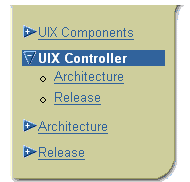
- Struts, UIX Controller, Spring
- How to connect to the DB
- ADF BC, TopLink, EJBs....
|
|
14
|
- Use JavaServer Pages (JSPs)
- Not the easiest structures to work with
- Currently the industry standard
- Work well
- Can embed JavaScript for logic executed in client interface
- Can achieve near client/server UI quality
|
|
15
|
- Use Struts
- Clear industry standard for Controller layer
- Controller manages logic of how JSP pages link to one another
- Determines what pages are called under what circumstances
- Can put this logic into the JSP pages
- Better if logic is encapsulated in dedicated controller
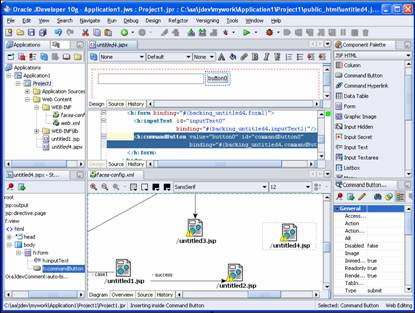
- JDeveloper 10g has a nice graphical interface to create Struts code.
- Without JDeveloper or similar tool, using Struts is difficult.
|
|
16
|
- Use Oracle’s Application Development Framework – Business Components
(ADF BC)
- First rate, sophisticated, relatively easy to implement solution.
- Supports management of middle tier business rules as well as data
caching
- Many people currently use Enterprise JavaBeans (EJBs) to connect classes
to database tables.
- Inefficient
- Unnecessarily complex
- Can cause project failure
|
|
17
|
- Industry standard to place logic in middle tier
- Little beneficial system performance impact
- With few exceptions, business logic belongs in the database
- Functions
- Procedures
- Complex views (INSTEAD OF triggers)
- Allows for making changes to the UI architecture
|
|
18
|
- Disputes will continue about the latest technologies
- Other alternatives include:
- Spring framework
- Oracle’s UIX/JHeadstart
- Not embraced by the mainstream development community
- However – use ADF BC
- Efficiency and power should override skepticism.
|
|
19
|
- Will likely dominate in the next 1-2 years
- Bleeding edge technology
- No proven track record to rely on
- Best strategy is to wait for now
|
|
20
|
|
|
21
|
|
|
22
|
- Java
- .Net
- Oracle Forms
- PL/SQL based – HTMLDB/Portal/WSG
- PHP
- Others…
|
|
23
|
- Powerful and Robust
- Standard
- Cross Platform
- Gives you the choice
- Hardware
- Windows, Linux, Unix, Mac and more
- Application Server
- Oracle, BEA, IBM, Sun, Open Source
- Tools
- JDeveloper, JBuilder, IBM, Sun and many more
|
|
24
|
- Most J2EE applications have Web interfaces
- Various J2EE UI solutions out there
- There is also the controller choice
- Which solution should you use?
|
|
25
|
|
|
26
|
- JSP Model 2 is the prevailing solution
- MVC based layer separation
- JSP to handle View
- Servlet backend to handle Controller
- Struts – the de-facto standard
|
|
27
|
- Developers need to know
- HTML
- HTTP Request/Response
- Javascript
- No J2EE standard for Controller
- No good component model
|
|
28
|
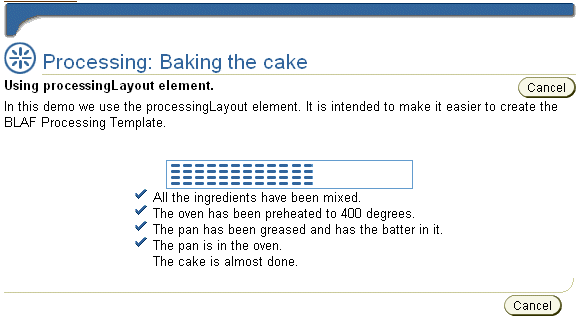
- UIX Introduced a Declarative UI Definition (2002)
- Developers define their page structure – don’t implement the
HTML/Javascript
- Benefits:
- Provides Rich Components
- Can Switch Renderer
- Can Modify Results Programmatically
- Switchable Look and Feel
- Problem:
|
|
29
|
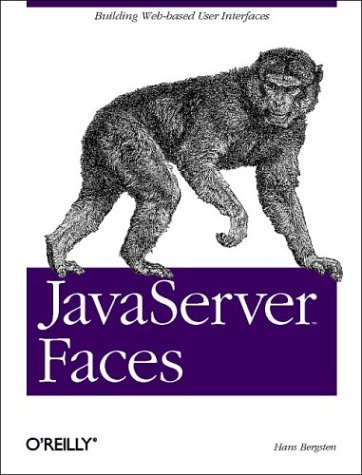
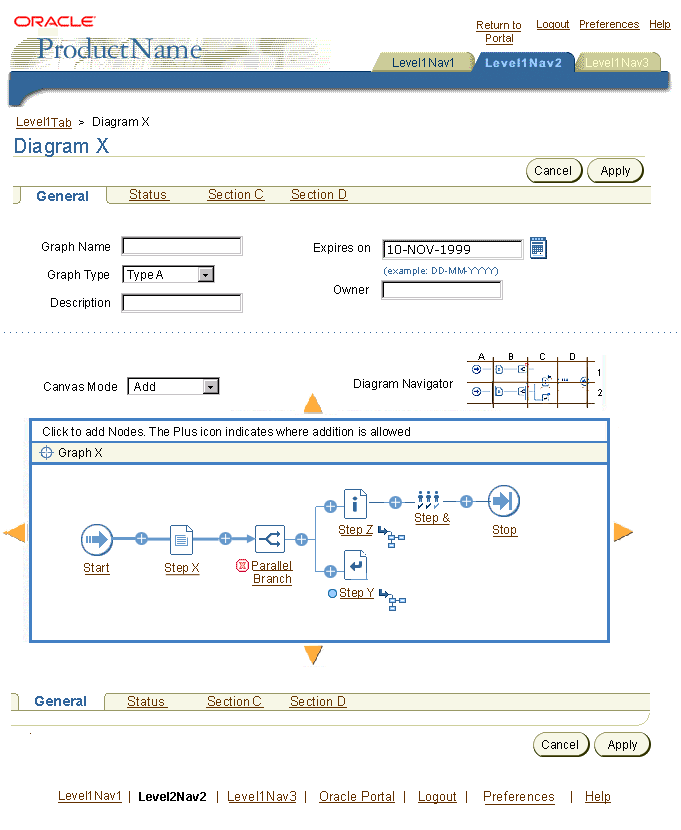
- JSF = JavaServer Faces a.k.a Faces
- JSF’s Goal: Simplify the creation of java server UI
- Developed through Java Community Process JSR-127
- History
- Started May 2001
- First Version March 2004
- Oracle has been involved from the start
|
|
30
|
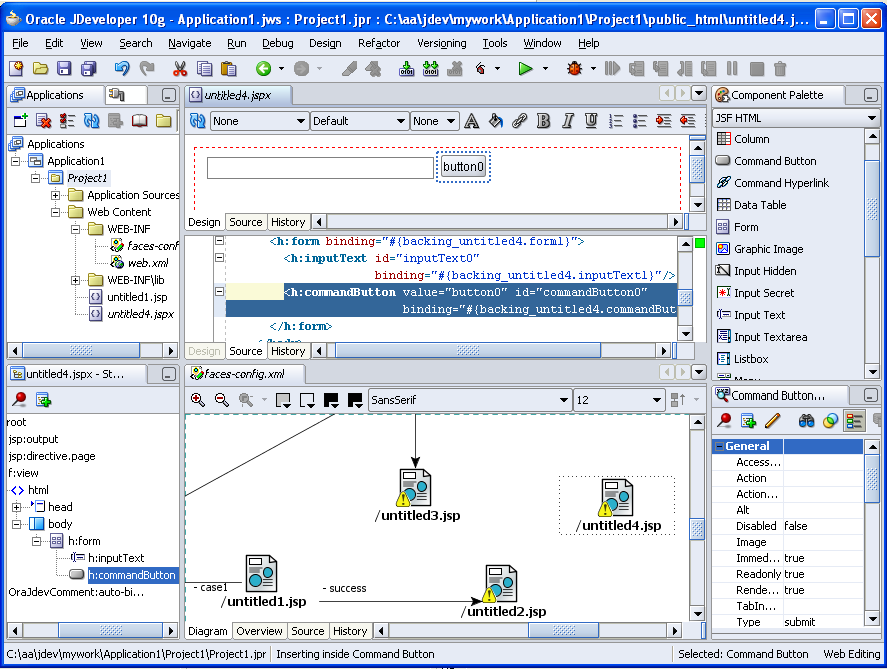
- A View and a Controller Layer
- MVC Based
- Designed to be leveraged by tools
- Focus on components
- Automatic event and state handling
|
|
31
|
- Abstracts away from HTTP
- Developers don’t need to understand request-response cycle
- Abstracts away from HTML
- Developers work with components, not markup
- Developers don’t need to decode requests
- Component Based
- Use existing components
- Render to new devices
- Listener based events approach
|
|
32
|
|
|
33
|
|
|
34
|
|
|
35
|
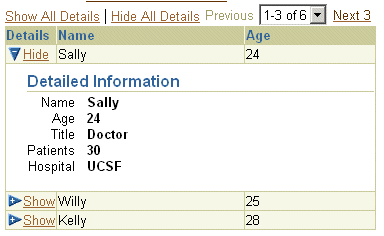
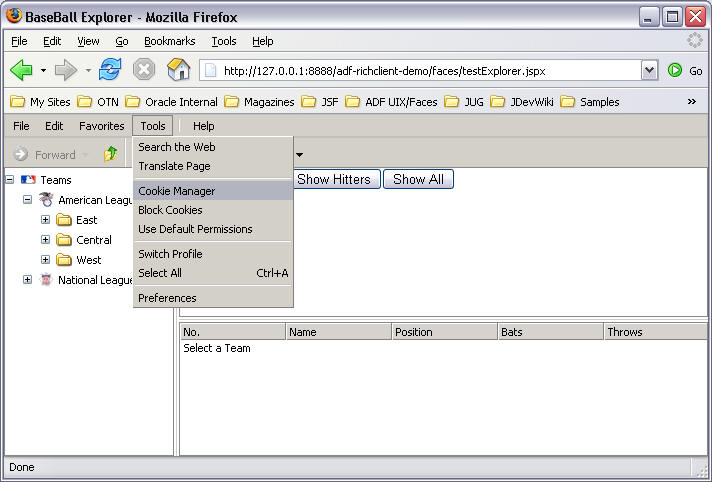
- A large component set >100 different components
- Evolution of ADF UIX built on top of JSF APIs
- Far more advanced and interesting components
- Partial-page rendering, etc.
- ADF model support out-of-the-box
- ADF Faces skins (Look and Feel)
|
|
36
|
|
|
37
|
|
|
38
|
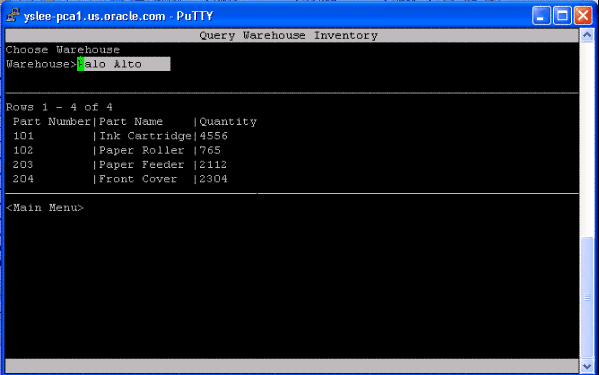
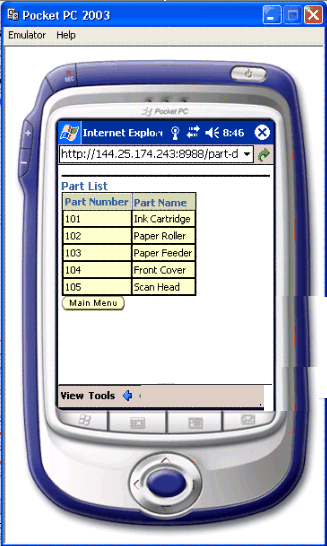
- Render ADF Faces based application on browser/wireless/telnet
|
|
39
|
|
|
40
|
- Project Timeline
- When do you need to go production?
- When do you need to build the UI?
- Team Knowledge
- Do you have a team?
- What do they know now?
- Do you have training time/budget?
- Company Knowledge
|
|
41
|
- We need a project to be production in 5 months
- We have a little JSP knowledge
- We are going to hire some Java developers
- Solution
- Use JSP/Struts
|
|
42
|
- We are planning a project that will go production in a year
- We don’t have J2EE knowledge
- Solution:
- Go for JSF
- Start with back-end now
- Do the UI later when tools are more mature
- (You can use UIX for UI prototyping)
|
|
43
|
- We have an on-going project using JSP (or UIX) currently under
development
- Solution
- Continue with your current plan
- JSP – optional - After project is completed have a look at JSF for
future projects
- UIX – After project is complete start learning JSF and ADF Faces
Components
|
|
44
|
- JSP/Struts is a good solution
- JSF brings simplicity and more power to Web UI development
- JSF has momentum in the J2EE world
- In the near future JSP and JSF will be the leading options for J2EE Web
development
|
|
45
|
- Dr. Paul Dorsey
- Dulcian, Inc.
- paul_dorsey@dulcian.com
- Shay Shmeltzer
- Oracle Corporation
- shay.shmeltzer@oracle.com
|

 Notes
Notes